Hot July Sale: Up to 35% Off HandiFox Online and HandiFox Deskop →

Multi-location inventory management software

Centralize inventory across every warehouse, store, branch, and service vehicle. HandiFox gives you one accurate total on-hand view with location-level quantities, connected to QuickBooks Online or Desktop.

  • Real-time stock visibility
  • Reorder points per location
  • Tracked inventory transfers
  • Mobile access for teams on site
Free trial available Guided onboarding QuickBooks Online & Desktop
On-hand quantities at each location and the company total in HandiFox

One inventory system for every location

Managing inventory across multiple locations becomes unreliable when every site keeps a separate spreadsheet or count. A warehouse tracks pallets in one file, a branch keeps another tally, and the parts riding on a service vehicle exist only in a technician’s head.

The cost is daily: overstock at one site while another runs out, transfers nobody recorded, duplicate purchase orders, hours spent reconciling files that were already out of date.

Inventory management software for multiple locations closes that gap. One inventory management system holds the total on-hand quantity and the quantity at each site, so purchasing, transfers, and fulfillment work from the same numbers.

Warehouses and distribution centers

Retail stores and branches

Regional stockrooms

Service vehicles and field vans

Job sites

See inventory across every location in real time

Quantities on hand, on sales orders and available at each site in HandiFox

HandiFox keeps the company total and the per-site quantities in one place. Open an item to see how much you own overall, then the split by location — units in the main warehouse, on a branch shelf, loaded on a van.

Purchasing can check whether another location already holds the stock before placing an order. Managers can see which site has enough inventory before they promise a delivery date, and owners can review quantities remotely instead of calling each location for a count.

For example, when a branch drops below its reorder point and the main warehouse holds a surplus, the team can restock from existing inventory instead of placing another purchase order.

Total on-hand and location-level quantities side by side

Inventory reports by location or across the whole business

Remote monitoring — no site visit needed to trust the number

Multi-location inventory control from one system

Use one multi-location inventory control system to track quantities, reorder points, mobile access, and reporting without configuring a full ERP.

Stock by location

See the on-hand quantity at each site and the combined total for the business. Receiving, sales, counts, and transfers all update both numbers, so location inventory management stays consistent instead of drifting apart file by file.

Reorder points per location

Monitor inventory levels and set reorder points individually per warehouse or for all sites at once, so a busy store and a slow-moving branch are not measured against the same threshold when you plan replenishment.

Mobile app location access

Limit HandiFox mobile app users to location-specific data. On the web, control which items are visible at each location.

Mobile locations

Assign mobile devices to locations so field and warehouse teams record work where it happens. Vans, branches, and warehouses all report into the same multi-location inventory tracking system rather than into separate notes.

Reporting by location

Review inventory per location or across the whole company, and keep stock data centralized instead of scattered across files each site maintains on its own. Pair it with barcode inventory tracking for faster, cleaner counts.

Set reorder points for each location

Reorder point settings for each inventory location Reorder points Brass fitting 3/4" Global reorder point applies to every location unless overridden 500 LOCATION-SPECIFIC OVERRIDES Main Warehouse 300 Downtown Store 150 North Branch 80 Quantities are monitored against each location’s own threshold.

One company-wide threshold does not fit a business running a busy flagship store and a small regional stockroom. HandiFox lets you set reorder points for all sites at once, then set them individually per warehouse where demand differs.

A fast-moving part can warrant a high threshold at the main warehouse and a much lower one at a branch that turns a fraction of the volume — each site measured against its own demand, not a company average.

Quantities are monitored against each location’s own reorder point, so low stock at one branch reads as a branch-level problem: solve it by moving stock from a site with surplus, or by restocking when there is none to move.

Manage warehouses, stores, and mobile inventory

Not every location is a building. Businesses shopping for multi-warehouse inventory software usually need the same control over stock riding on their trucks.

Warehouse worker handling boxes on orange racking

Warehouses and distribution

Track receiving, counts, and outbound movement warehouse by warehouse, while a combined on-hand total keeps the company-wide picture intact.

Store employee restocking boxes on shelves in a retail branch

Stores and branches

Give each branch its own quantities and reorder points, so local demand drives replenishment.

Technician taking parts from bins in a stocked service van

Vehicles and field teams

Use mobile inventory management to assign devices to field locations, so parts taken from service vehicles are recorded against the right site.

Keep multi-location inventory and QuickBooks connected

HandiFox is built around QuickBooks: HandiFox Online works with QuickBooks Online, HandiFox Desktop with QuickBooks Desktop. The inventory you manage across multiple locations and the numbers in your books describe the same business.

Inventory activity from every location syncing with QuickBooks HandiFox locations & operations Main Warehouse Downtown Store North Branch Service Van #3 receiving · transfers · counts · sales QuickBooks Online or Desktop Items & quantities Purchase orders Sales & invoices Customers & vendors accounting data inventory activity accounting records

Items, quantities, purchase orders, and sales activity move between the two systems instead of being keyed in twice — your team records receiving, transfers, and sales where the work happens, and accounting sees the result without a separate export.

Teams record receiving, transfers, and sales once. Accounting gets the same inventory activity without a separate export or another round of data entry. See how the QuickBooks inventory integration works.

Test multi-location tracking with your own locations

In a live demo, use your own location structure and inventory workflows. The team can also show how the relevant HandiFox product connects with your version of QuickBooks.

Get help with setup and everyday inventory tasks

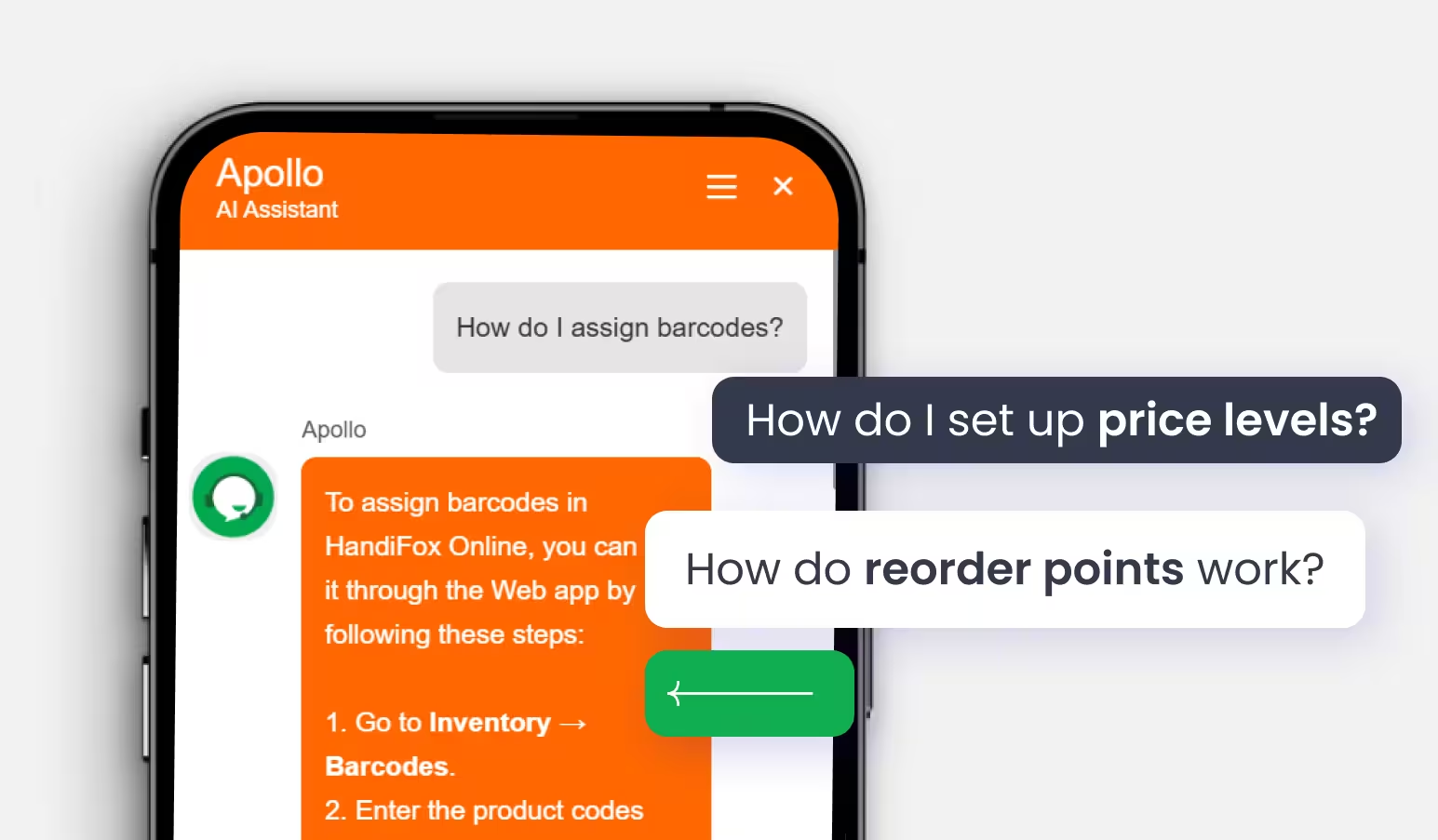
The built-in assistant can walk users through setup and answer questions about the task open on screen, including orders and everyday inventory workflows.

HandiFox AI assistant answering a question inside the app
Instant onboarding support Real-time task guidance in context Fewer setup errors, faster execution

See how to set up multiple locations in HandiFox

Why businesses trust HandiFox

300+ SMBs

run inventory with HandiFox

16+ years

automating SMB inventory

4.9/5

on the QuickBooks App Store

How Shower Hardware Supply manages inventory across multiple locations

Shower Hardware Supply sells plumbing and bath hardware from three sites. Before HandiFox, seeing what the company held meant collecting three separate answers and hoping each was current.

We have 3 sites that we needed to see and track all products and sales with one platform. HandiFox has proven to be that tool

Mike Palmer

Shower Hardware Supply

The challenge

Three sites, each with its own products and sales activity, and no single platform showing all of them together.

The result
  • 3 sites tracked on one platform
  • Almost 2 years on HandiFox
  • Products and sales visible across all locations at once
With HandiFox

Each site records its own receiving, sales, and counts. Those quantities roll up into one company-wide on-hand figure, and the same inventory data stays connected to QuickBooks.

Inventory teams run better with HandiFox

Midwest Circuit Technology
Larry Hodson
(Ohio, USA)
“Midwest has been using HandiFox for 11 years. We’ve put consigned inventory at two customer sites. They scan our product out and we replenish as needed. HandiFox has allowed us to manage 4 separate inventories at 3 sites. Although rarely needed, the support team is very fast and excellent.”
Skyline Fire Solutions
(Ohio, USA)
“We house inventory on our fleet and finding a software that allows easy movement between the warehouse and fleet vehicles has been a constant issue over the past few years. I have been on the hunt for an inventory software that has a 2-way sync with QuickBooks, with multiple inventory locations, and a overall view of inventory on hand between all sites with a total on hand value too, and I am so glad I finally found HandiFox that checks all of the boxes.”
Easy Mile Fitness
Sashayma Varela
(Ohio, USA)
“HandiFox has significantly improved our ability to manage inventory across multiple regions. Its remote audit and monitoring capabilities allow us to oversee all locations in real time.”

More reliable than spreadsheets. Less complex than a full ERP.

Teams comparing multiple location inventory management tools tend to weigh the same five criteria.

Spreadsheets HandiFox Full ERP
Real-time visibility Accurate until the next unrecorded movement Total and per-location quantities in one system Broad, deeply configurable visibility
Mobile location access File-level at best; everyone sees everything Mobile users limited to location-specific data Granular and highly customizable
Mobile access Editing a shared file on a phone Mobile devices assigned to locations Depends on the modules licensed
QuickBooks sync Manual re-entry into accounting Works with QuickBooks Online or Desktop Usually replaces the accounting system
Setup complexity Fast to start, expensive to maintain Guided onboarding, built for SMB teams Higher complexity, cost, and implementation time

Is HandiFox the right fit for your multi-location operation?

HandiFox is a good fit if you…

  • Run inventory across several warehouses, stores, branches, or service vehicles
  • Work in QuickBooks Online or QuickBooks Desktop and want inventory connected to it
  • Need transfers, purchasing, counts, and mobile workflows in one SMB inventory system
  • Want location-level reorder points and mobile access by location without a long implementation

A full ERP may make more sense if you…

  • Need complex manufacturing and production planning
  • Require highly customized, global workflows across many entities
  • Are buying enterprise-wide finance, HR, and supply-chain modules
Compare plans and pricing

Get your locations set up with guided onboarding

Moving several sites into one system requires a clear plan for data, users, devices, and QuickBooks. Our multi-location inventory management setup is guided rather than handled as a self-service upload.

Support after go-live. Our support center, getting-started guide, and training resources stay available after launch, and the in-app AI assistant answers task-level questions in context. Available channels depend on your plan.

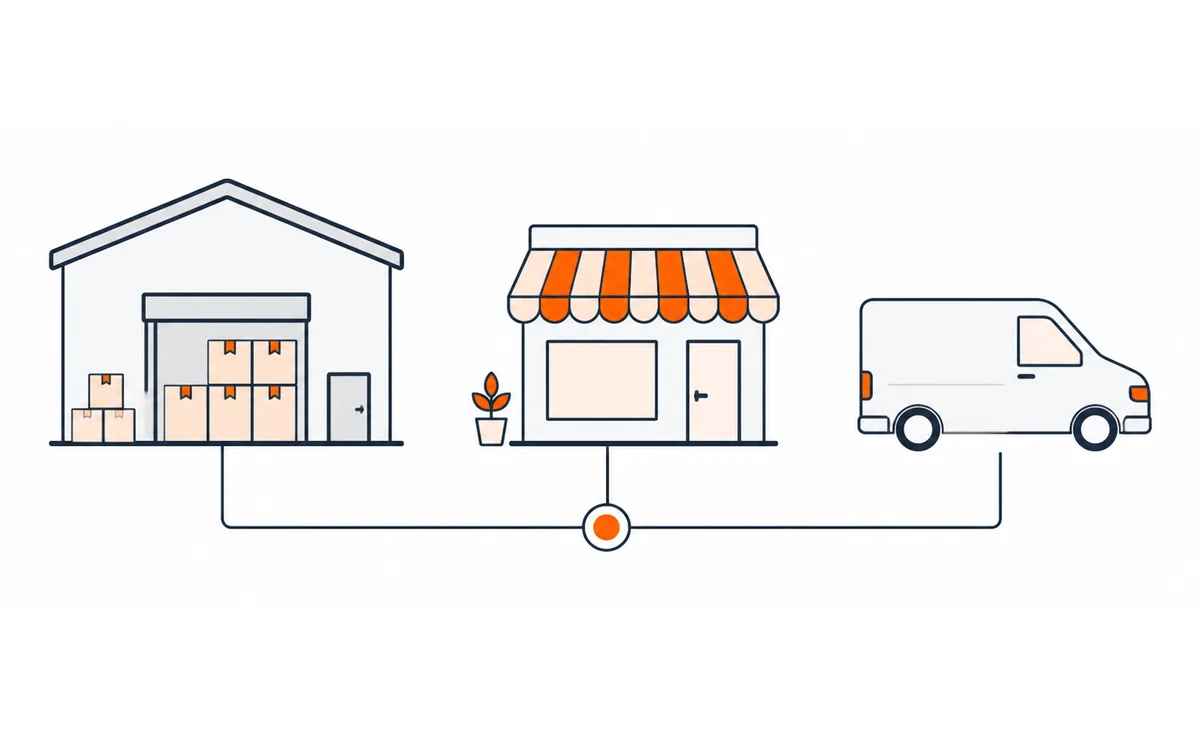
Warehouse, retail store and service van connected to one inventory system

Confirm the setup

We go through your locations, users, mobile devices, current inventory data, and whether you run QuickBooks Online or QuickBooks Desktop.

Inventory data imported and location settings configured QuickBooks items · quantities · purchase orders HandiFox imported and synced LOCATION-SPECIFIC SETTINGS Sites Device assignments Access rules Reorder points

Import and configure

Inventory data is imported and synced with QuickBooks, then location-specific settings are configured: sites, device assignments, access rules, and reorder points.

Workflows validated at every location before go-live Workflow sign-off each team validates its own tasks at its own site Receiving Transfers Counts Sales Main Warehouse Downtown Store Service Van #3 Every workflow is checked at the location that will run it.

Train and go live

Teams are trained on their own workflows — receiving, transfers, counts, and sales — and each workflow is validated at the location that will run it.

Multi-location inventory management FAQs

What is multi-location inventory management software?

It tracks stock at every site a business operates — warehouses, stores, branches, and service vehicles — and holds those quantities in one system instead of separate files. Unlike a spreadsheet, the company total and the per-location numbers update from the same records, so purchasing, counts, and sales all reference the same inventory data.

Can I restrict inventory access by location?

Yes, depending on how your team uses HandiFox. In the mobile app, you can restrict users to specific locations, so they only work with inventory at the locations assigned to them. On the web, you can control which items are visible at each location, but users cannot currently be restricted to specific locations.

Can warehouses, stores, and service vehicles be tracked as locations?

Yes. HandiFox can manage inventory across fixed locations such as warehouses, stores, and branches, while mobile devices can be assigned to the inventory locations used by field teams. This gives the business one total on-hand view while keeping quantities tied to the correct location.

Can teams use HandiFox on mobile devices at different locations?

Yes. Mobile devices are assigned to locations, so work is recorded against the right site. With the mobile app, your team can check quantities and record inventory work from the device itself. Supported platforms differ between HandiFox Online and HandiFox Desktop.

Does HandiFox work with QuickBooks Online and Desktop?

Both, through two products: HandiFox Online integrates with QuickBooks Online, and HandiFox Desktop with QuickBooks Desktop. Items, quantities, purchase orders, and sales activity move between HandiFox and your books, so inventory across multiple locations and your accounting data stay aligned without duplicate entry.

How many inventory locations can I manage?

The number depends on the product and plan you choose. Check current limits on the pricing page, or tell our team how many sites, users, and devices you run — they will confirm which plan covers your multi-location inventory management setup.

Take control of inventory across every location

Or call +1 877-942-6343 to talk through your setup.

Sizzling July savings!
Get up to 35% off HandiFox Online and HandiFox Desktop.
Save now